


Flight Tracker - Flights25
4.5360.00 Reviews
App Specs
- Version
- 1.4.7
- Updated On
- License
- Free
- Downloads
- 100,000+
- Developer
- Rocketech sp. z o.o.
- Categories
- Travel & Local
- Platform
- Android, iOS
Screenshots
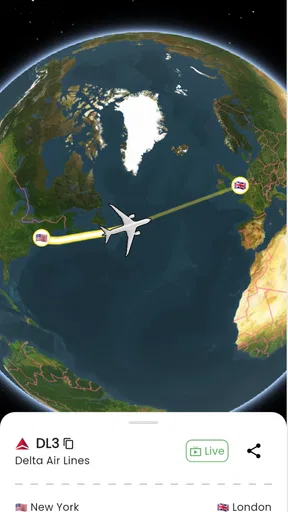
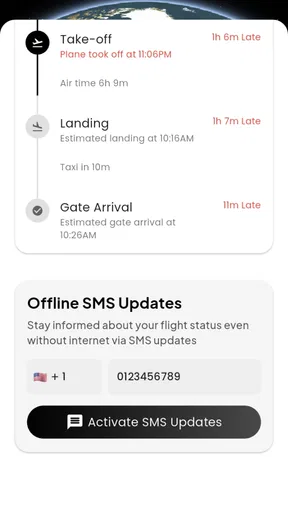
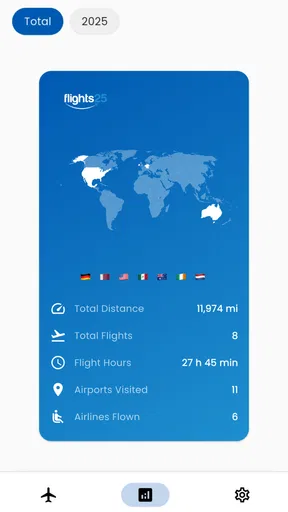
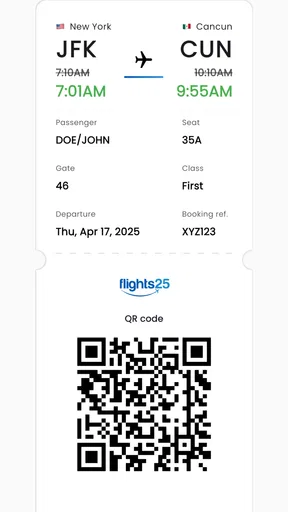
 Analysis by AppCompare
For me, a flight tracker is most useful when it answers a practical question quickly: has the plane left, is it running late, and should someone head to the airport yet? Flight Tracker - Flights25 is a travel app built around those moments, as well as the curiosity of following a flight across a map. Its straightforward purpose is appealing, but flight information can influence real plans, so I also think about how much I can rely on an app and what choices it gives me when I use it.
A useful companion, with sensible expectations
Flight Tracker - Flights25 is made by Rocketech sp. z o.o. and sits in the travel-and-local space. It is free to download, has a 4.6 average from around 10,000 ratings, and has been installed over 100,000 times. Those figures suggest that many travelers have found it worth trying, though popularity alone is not a guarantee that every detail will match an airport display or an airline’s latest notice.
I would treat a tracker as a convenient second screen, not as the final authority for a time-sensitive decision. If the app shows a delay but the airline sends a different update, I would check the airline’s own channel before changing a connection or leaving home. That’s not a criticism unique to this app; flight information can change quickly, and different services may refresh at different times.
What I would check before relying on an alert
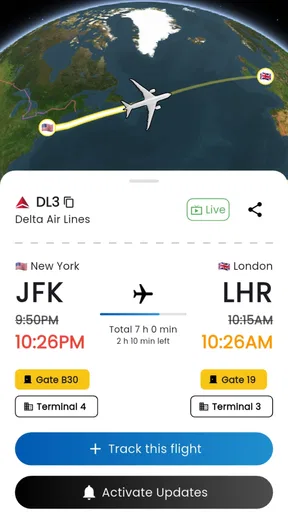
The app’s appeal is that it brings flight details together, including departure and arrival times, gate changes, delays, and alerts. For a trip that matters, I would first search the exact flight number and check that the route and date match. This small habit helps avoid the easy mistake of following a similarly numbered flight or the wrong day’s service.
Once the correct flight is on screen, alerts can reduce the need to keep reopening the app. I’d still glance at the flight status before setting off, especially if I’m coordinating a pickup or have a tight connection. A notification is useful as a prompt to check, rather than a reason to assume that no further change is possible.
Data-sensitive moments and user choice
Flight details can reveal more than an aircraft’s route: they may also make it easier to infer when someone is traveling or when a person expects to arrive. I would keep that in mind when sharing a flight number or using tracking to coordinate with other people. The practical choice is to share only what is needed for the journey, and to avoid treating a public flight lookup as a private travel diary.
I also prefer to make notification choices deliberately. If I’m tracking one flight for a pickup, alerts about meaningful changes are useful; if I’m browsing flights out of curiosity, repeated notifications may be more distracting than helpful. The app’s customizable alerts let users shape that experience, so I’d start with the updates I actually need and adjust them if they become noisy.
Worth Reading Before You Choose

Flipboard Shows What News Apps Must Do Beyond the Feed

Switching to Android Auto Means Rethinking Your Driving Routine

Google Calendar Makes a Crowded Week Easier to Manage

Ludo King Makes the Most of the Minutes Between Plans

Baby Panda World Brings Quick Play to Modern Phones, but Its Game Library Feels Busy

ESPN’s Live Game View Makes Following Close Games Easier
Who is likely to get the most from it?
This is a natural fit for someone meeting a traveler, keeping an eye on their own departure, or following several journeys without wanting to refresh a search page again and again. It also has an easy appeal for aviation fans: the map gives a flight a visual context that a row of times cannot, and the history is handy for looking back at past travel.
It is less compelling if you only fly occasionally and already get everything you need from an airline’s app or an airport’s departure board. Those sources may be the better place to act on a last-minute gate or schedule change. I’d also hesitate to make a third-party tracker the sole source for a complex itinerary with a close connection, since the cost of missing an airline-specific instruction can be much higher than the convenience of one combined view.
A practical routine for travel day
Imagine I’m collecting a friend after work. I search the flight number earlier in the day, confirm that I have the right arrival, then use the map and status updates to follow progress while I finish what I’m doing. If a delay appears, I can hold off on driving to the airport; if the arrival remains on course, I can plan to leave at a more sensible time. That is a modest but genuinely useful job for a tracker: it helps me time the trip without making me stare at a screen all afternoon.
For my own journey, I’d use a slightly different routine. I’d check the flight in the app for a quick overview, then compare important changes with the airline before leaving for the airport. I’d keep alerts focused on the flight I care about rather than turning every option on. That approach makes the app a practical companion while leaving decisions about check-in, boarding, and airline instructions with the airline itself.
Your Personal Flight Companion
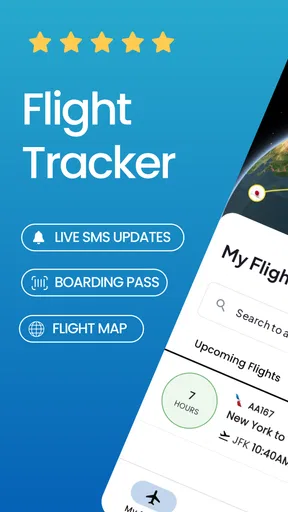
Flight Tracker - Flights25 is designed with one thing in mind: keeping you updated on all things aviation. Whether you’re tracking your own flight or someone else’s, this app has got you covered. Right from the get-go, the interface is super intuitive. I mean, even my tech-challenged friend could navigate it without breaking a sweat! You just type in your flight number or airline, and boom, all the details land right on your screen.
Real-Time Flight Updates
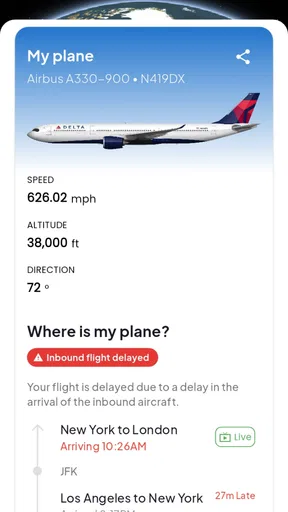
One of the standout features is the real-time flight updates. The app provides you with a wealth of information, from departure and arrival times to gate changes and delays. I tested it out by tracking a few live flights, and the updates were spot on. It’s like having your own personal air traffic control in your pocket. No more guessing games or relying on outdated information!
Interactive Maps
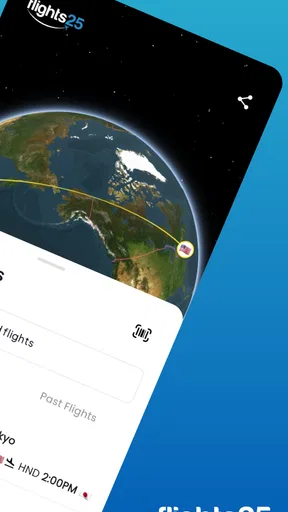
I was particularly impressed by the interactive maps feature. You can watch flights in action, almost like a global game of connect-the-dots. It’s pretty mesmerizing and a great way for aviation enthusiasts to spend an afternoon. Plus, it’s super handy if you’re picking someone up from the airport and want to see exactly where their plane is hovering in the sky.
Flight History and Alerts
Another nifty feature is the flight history. If you’re the type who likes to keep tabs, this is gold. You can look back at past flights, which is useful for frequent flyers or just for reliving past adventures. And let’s not forget the custom alerts – set them up, and you’ll be notified of any changes to your flight without having to constantly refresh.
User Experience and Design
Now, let’s talk about the user experience. The design is sleek and modern, with a dark mode option that’s easy on the eyes during late-night browsing. The app runs smoothly, with no annoying lags or crashes during my tests. Navigating through the app is straightforward, and all the features are neatly organized. It feels like the developers really prioritized user-friendliness, which I definitely appreciate.
Additional Features
Beyond the basics, the app offers some extra goodies. You can explore airport information, flight statistics, and even weather forecasts for your destination. It’s like having a Swiss Army knife for travel enthusiasts. These additional features can really enhance your travel planning and make the journey as seamless as possible.
And for those who love customization, you can tailor the app to suit your needs. Choose which notifications you want, adjust settings to match your preferences, and make the app truly yours. It’s these little touches that make a big difference.
Costs, version, and fit
The app is free to install, though in-app purchases range from around $8 to $230 per item. That spread makes it worth checking what an optional purchase includes before paying; I wouldn’t assume that every traveler needs a paid item just because it is offered. If the free experience covers your occasional flight checks, there may be no reason to spend more. Frequent users should weigh any purchase against how often they actually need the extra value.
It is rated for everyone, and the current version is 1.4.1, with Android 7.0 as the minimum operating system requirement. The app was released in March 2024, so it is a relatively recent option rather than a long-established travel utility. I’d keep it updated through the app store and check that an older phone meets the system requirement before planning to use it on a trip.
How it fits alongside other travel tools
Compared with searching a flight number on the web, a dedicated tracker can be more convenient when I want to revisit the same flight, see its map, and receive selected alerts in one place. Compared with an airline app, it can be more appealing when I’m tracking someone else’s trip or looking at flights from different airlines. The trade-off is that an airline’s own app is usually the more direct place to manage that airline’s booking and follow its instructions.
Airport boards still have a role, too. When I’m inside the terminal, the board is an immediate local reference for gates and departure information; I don’t need a map to decide where to walk. For planning a pickup from home, though, the tracker’s flight progress can be more useful than repeatedly checking a board. I see these tools as complementary: use the tracker for an overview, and use the airline or airport for the final operational detail.
Questions worth settling before a trip
If you’re wondering whether it can follow another person’s flight, its flight-search and tracking purpose makes that a practical use case: you can look up the flight rather than needing to manage the traveler’s booking. If you’re asking whether alerts mean you can stop checking altogether, I wouldn’t go that far. Alerts save repeated manual checks, but I’d still confirm a change that affects when I leave, where I go, or whether a connection is workable.
For someone deciding whether to pay, my answer is to begin with the free download and see whether the everyday tracking workflow is enough. The listed purchase range is broad, so I’d inspect the particular item and its terms in the app before committing. And if your main need is changing a reservation, checking in, or receiving a carrier’s instructions, use the airline’s own service for that task; a flight tracker is not a substitute for managing a booking.
Final Thoughts
All in all, this is a solid choice for anyone looking to stay on top of their flight game. Whether you’re a frequent flyer, an aviation enthusiast, or just someone who wants peace of mind during their travels, this app delivers. It’s packed with features, user-friendly, and reliable – everything you could want in a flight tracking app. So next time you’re heading to the airport, give it a whirl. I bet you’ll wonder how you ever traveled without it!
My more cautious recommendation is to try it if you regularly coordinate pickups, enjoy watching flights, or want a single place to check a journey’s progress. Its map, history, and adjustable alerts give it more usefulness than a one-off flight search, while the free starting point makes it easy to judge for yourself. If your trips are rare, or you need authoritative booking support rather than a tracking view, the airline’s app may be all you need. For everyone else, it can earn a place in the travel toolkit as long as important changes are confirmed through the right channel.
Pros
- Real-time flight updates with minimal delay.
- Comprehensive airport information included.
- User-friendly interface for easy navigation.
- Customizable notifications for flight changes.
- Supports multiple languages for global users.
Cons
- Ads can be intrusive and frequent.
- Limited offline functionality.
- Battery consumption is relatively high.
- Some features locked behind a paywall.
- Occasional crashes on older devices.
FAQs for Flight Tracker - Flights25
What features does Flight Tracker - Flights25 offer?
Flight Tracker - Flights25 provides real-time updates on flight statuses, including departures, arrivals, and delays. It also offers gate information, terminal maps, and alerts for any changes. Users can track specific flights and receive push notifications to stay informed about any updates. The app supports multiple airlines worldwide, making it versatile for travelers.
Is Flight Tracker - Flights25 available for both Android and iOS devices?
Yes, Flight Tracker - Flights25 is available for download on both Android and iOS platforms. Users can easily find the app on the Google Play Store for Android devices and the Apple App Store for iOS devices. Ensure your device meets the minimum operating system requirements for optimal performance.
Does Flight Tracker - Flights25 require an internet connection to work?
Yes, an internet connection is necessary for Flight Tracker - Flights25 to provide real-time flight updates and notifications. Without an internet connection, the app cannot access or update flight information. Ensure you have a stable internet connection while using the app to receive the latest updates and alerts.
Are there any subscription fees or in-app purchases in Flight Tracker - Flights25?
Flight Tracker - Flights25 is free to download and use, but it may offer optional in-app purchases or a premium subscription for additional features, such as ad-free usage, advanced alerts, or more detailed flight data. Check the app’s description on your app store for pricing and available options.
How accurate is the flight data provided by Flight Tracker - Flights25?
Flight Tracker - Flights25 sources its data from official airline feeds and airports to ensure accuracy. While it strives for real-time precision, occasional discrepancies may occur due to unforeseen circumstances like technical issues or airline data delays. Users are advised to double-check critical flight details with their airline directly.


